Keeping your mechanical keyboard clean is a game-changer. Not only does it look better, but it also performs better! A little regular TLC can make your keyboard last a lot longer. Here’s how to keep it in tip-top shape.
First things first, unplug it if it’s wired or disconnect the Bluetooth if it’s wireless. You don’t want any accidental key presses while you're cleaning. For a quick clean, grab a can of compressed air. Just give it a few blasts between the keys to remove any crumbs and dust that may have sneaked in. It’s fast and super effective!
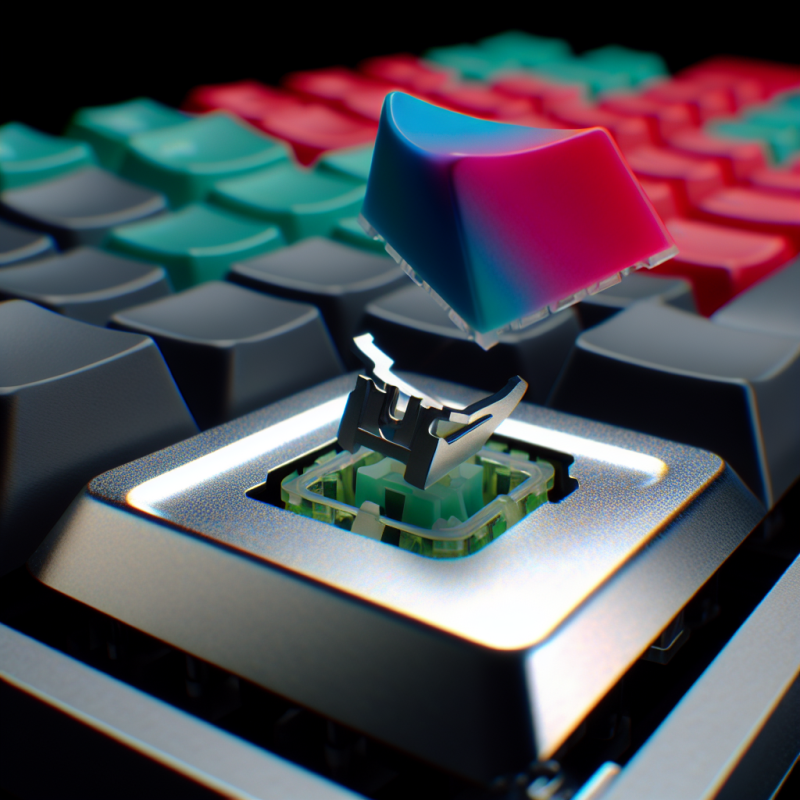
Next up, let’s tackle those keycaps. If they’re looking a bit grimy, you can take them off. Use a keycap puller if you have one—this nifty tool makes it easy. Once the caps are off, soak them in warm soapy water for a while. After that, just rinse and let them dry before putting them back on. Your keyboard will thank you!
For the surface, a soft, lint-free cloth dampened with a bit of rubbing alcohol works wonders. Just make sure it’s not dripping wet; you don’t want any moisture getting inside the keyboard. Wipe down the surface and around the keys to remove smudges and fingerprints. Trust me, it’ll feel so much nicer to type on!
Finally, don't forget about the regular routine. Make it a habit to clean your keyboard every few weeks. Just a quick dust and wipe can keep it looking fresh and functioning perfectly. A clean keyboard feels great to type on and can help improve your overall gaming or work experience. Happy cleaning!
Tools You Need for Maintenance
Keeping your mechanical keyboard clean is super important. To do it right, you'll need a few handy tools. These aren't just suggestions; they really make a difference in maintaining your keyboard's performance and lifespan.
First up is a keycap puller. It's a must-have for any mechanical keyboard owner. This little tool helps you safely remove keycaps without damaging them or your switches. Just be gentle, and you'll keep your keycaps looking fresh and clean.
Next, grab a good microfiber cloth. This is perfect for wiping down the surface of your keyboard. It picks up dust and dirt without scratching anything. Just make sure to use it lightly; you want to avoid any leftover fluff!
Don't forget some compressed air. It's awesome for blowing dust out from between the keys and other hard-to-reach spots. A quick blast can get rid of crumbs and debris that settle in over time.
If you really want to go the extra mile, consider a cleaning solution made specifically for electronics. Just a couple of sprays on your cloth help you tackle stubborn grime on your keys and surfaces. Always check the product to make sure it’s safe for electronics, and you're good to go!
Best Practices for Long Lasting Keys
Keeping your mechanical keyboard in top shape isn't just about the occasional dusting. You want those keys to last, right? Here are some best practices to help extend the life of your keyboard keys.
First up, regular cleaning is key. Dust, crumbs, and grime can build up and affect how your keys feel. Grab some compressed air and give it a good blast under the keys. You can also use a microfiber cloth to wipe down the surface. Aim for a clean keyboard, and it'll treat you well over time.
Watch how you type. If you’re the type to pound on those keys like you’re in a typing contest, you might want to lighten your touch. Gentle keystrokes reduce wear and tear. Also, avoid eating and drinking near your keyboard. Spills and crumbs can lead to sticky keys or worse, damage.
Consider keycap replacement. After a lot of use, the printing on keys can wear off. If you notice your favorite keys fading, think about getting some replacement keycaps. There are tons of styles and materials out there, and it’s an easy fix to keep your keyboard looking fresh.
Finally, store your keyboard properly when you're not using it. Cover it up or keep it in a drawer to shelter it from dust. Treat your mechanical keyboard well, and it’ll serve you for years, giving you that satisfying click every time you type.
How to Handle Common Stains
Keeping your mechanical keyboard clean is essential, especially when it comes to pesky stains. Whether it’s a coffee spill or crumbs from your lunch, handling common stains is pretty straightforward. Here’s how to tackle them without breaking a sweat.
If you spill a drink, stay calm. First, unplug your keyboard or turn it off. Grab a microfiber cloth and gently wipe the area. For tougher stains, a little water on the cloth can help. Just make sure it’s not dripping wet, as you don’t want excess moisture getting under the keys.
For food crumbs and dust, use a can of compressed air to blow them out from between the keys. It’s quick and easy! You can also use a soft brush—like a paintbrush—to sweep away stubborn bits. Just don’t press too hard on the keys.
Now, if you’re dealing with oily stains (like from greasy chips), a slightly damp cloth with a tiny drop of mild dish soap works wonders. Wipe down the affected area carefully, avoiding any keys that feel loose. Afterward, use a dry cloth to remove any soap residue.
Regular maintenance goes a long way in preventing stains. A quick wipe down every week keeps your keyboard looking fresh and new. Just remember to be gentle and use the right tools!